
This may be my last post on generative AI for images. I’ve been using generate AI since 2022, so I’m unsure how deep others are into it. So, I’ll share some aspects of it.
Images in generative AI (GenAI) are created with text prompts. Different models expect different syntax, as some models are optimised differently. Of the many interesting features, amending a word or two may produce markedly different results. One might ask for a tight shot or a wide shot, a different camera, film, or angle, a different colour palette, or even a different artist or style. In this article, I’ll share some variations on themes. I’ll call out when the model doesn’t abide by the prompt, too.
Take Me to Church
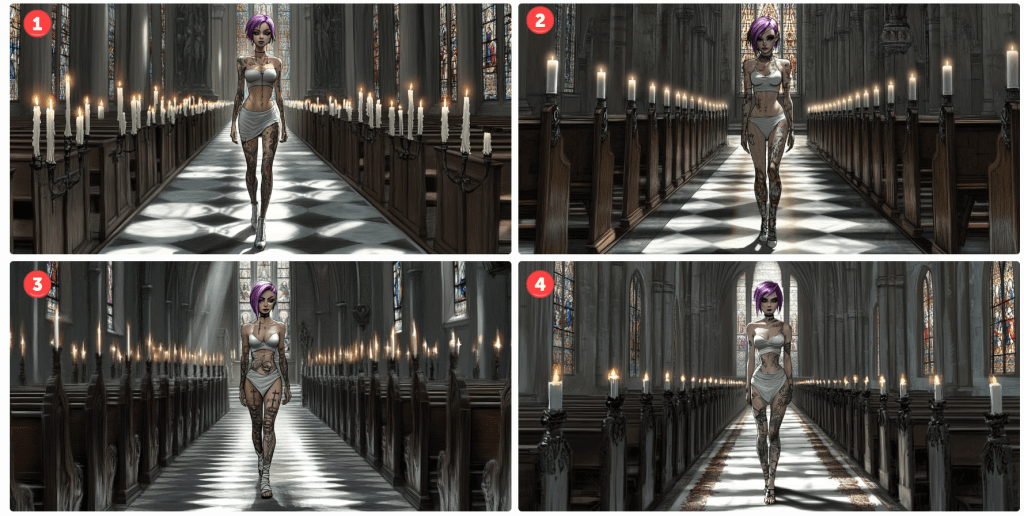
Lego mini figure style character, walking up aisle in church interior, many white lit candles, toward camera, bright coloured stained glass, facing camera, waif with tattoos, sensual girl wearing white, doc marten boots, thigh garter, black mascara, long dark purple hair, Kodak Potra 400 with a Canon EOS R5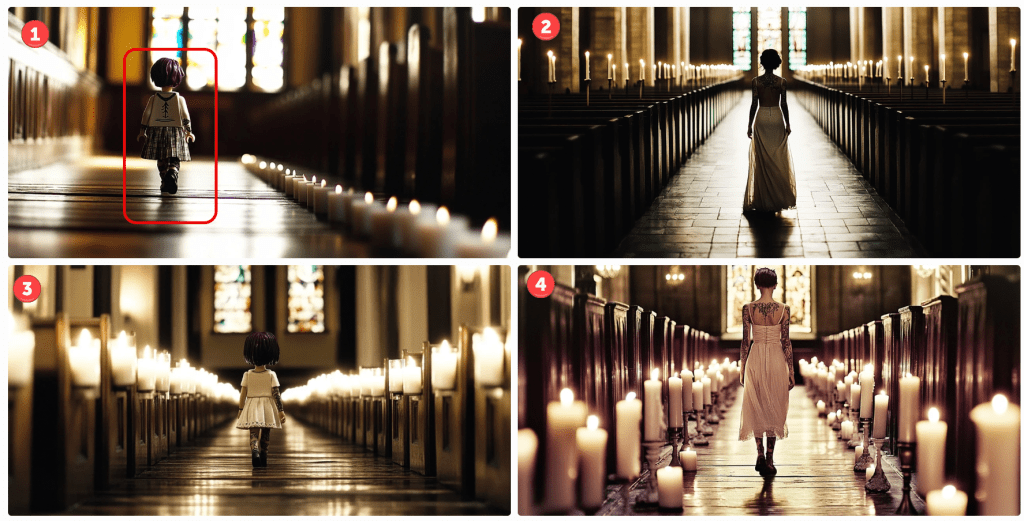
This being the first, I’ll spend more time on the analysis and critique. By default, Midjourney outputs four images per prompt. This is an example. Note that I could submit this prompt a hundred times and get 400 different results. Those familiar with my content are aware of my language insufficiency hypothesis. If this doesn’t underscore that notion, I’m not sure what would.
Let’s start with the meta. This is a church scene. A woman is walking up an aisle lined with lighted white candles. Cues are given for her appearance, and I instruct which camera and film to use. I could have included lenses, gels, angles, and so on. I think we can all agree that this is a church scene. All have lit candles lining an aisle terminating with stained glass windows. Not bad.
I want the reader to focus on the start of the prompt. I am asking for a Lego minifig. I’ll assume that most people understand this notion. If you don’t, search for details using Google or your favourite search engine. Only one of four renders comply with this instruction. In image 1, I’ve encircled the character. Note her iconic hands.
Notice, too, that the instruction is to walk toward the camera. In the first image, her costume may be facing the camera. I’m not sure. She, like the rest, is clearly walking away.
All images comply with the request for tattoos and purple hair colour, but they definitely missed the long hair request. As these are small screen grabs, you may not notice some details. I think I’ll give them credit for Doc Marten boots. Since they are walking away, I can’t assess the state of the mascara, but there are no thigh garters in sight.
Let’s try a Disney style. This style has evolved over the years, so let’s try an older 2D hand-drawn style followed by a more modern 3D style.
cartoon girl, Disney princess in classic hand-drawn animation style, muted colours…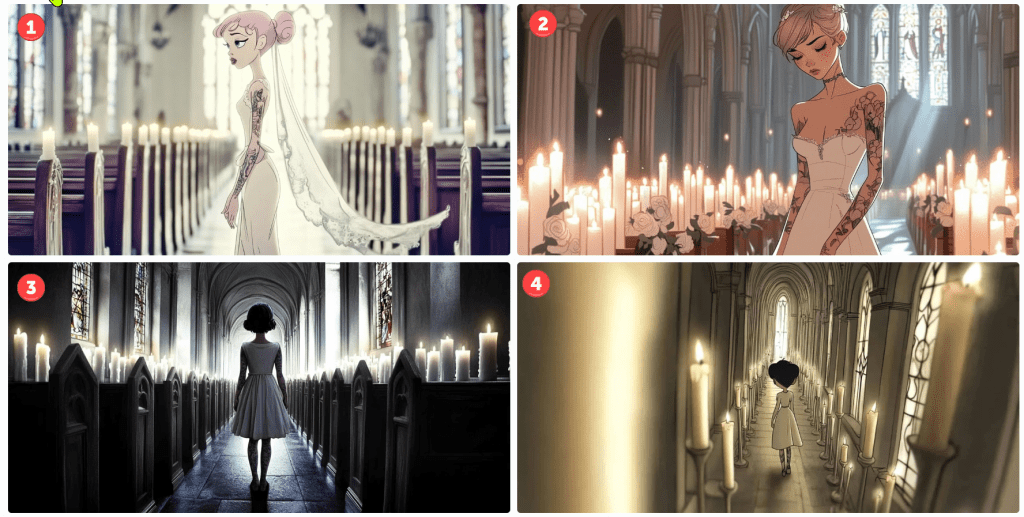
I’m not sure these represent a Disney princess style, but the top two are passable. The bottom two – not so much. Notice that the top two are a tighter shot despite my not prompting. In the first, she is facing sideways. In the second, she is looking down – not facing the camera. Her hair is less purple. Let’s see how the 3D renders.
cartoon girl, modern Disney 3D animation style, muted colours…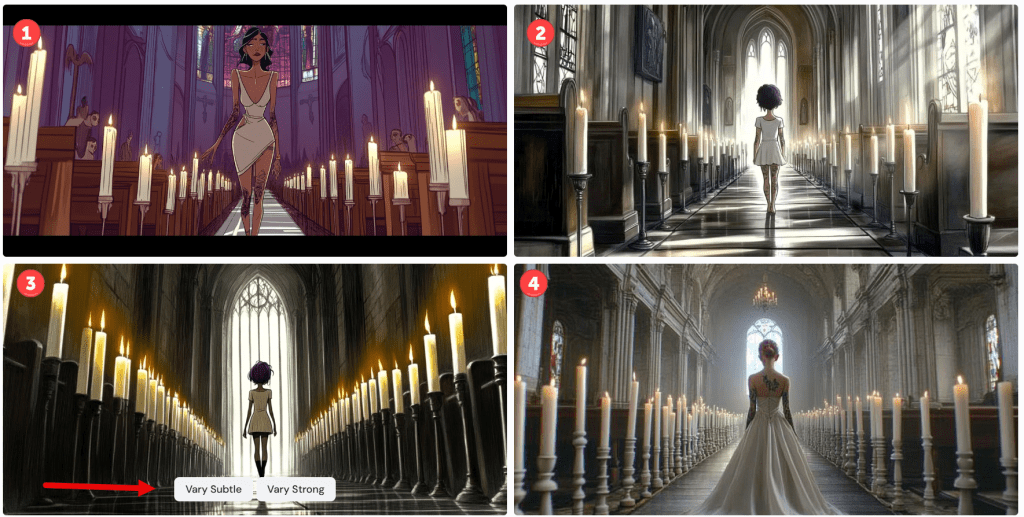
There are several things to note here. Number one is the only render where the model is facing the camera. It’s not very 3D, but it looks decent. Notice the black bars simulating a wide-screen effect, as unsolicited as it might have been.
In number three, I captured the interface controls. For any image, one can vary it subtly or strongly. Pressing one of these button objects will render four more images based on the chosen one. Since the language is so imprecise, choosing Vary Subtle will yield something fairly close to the original whilst Vary Strong (obviously) makes a more marked difference. As this isn’t intended to be a tutorial, there are several other parameters that control the output variance.
Let’s see how this changes if I amend the prompt for a Pixar render.
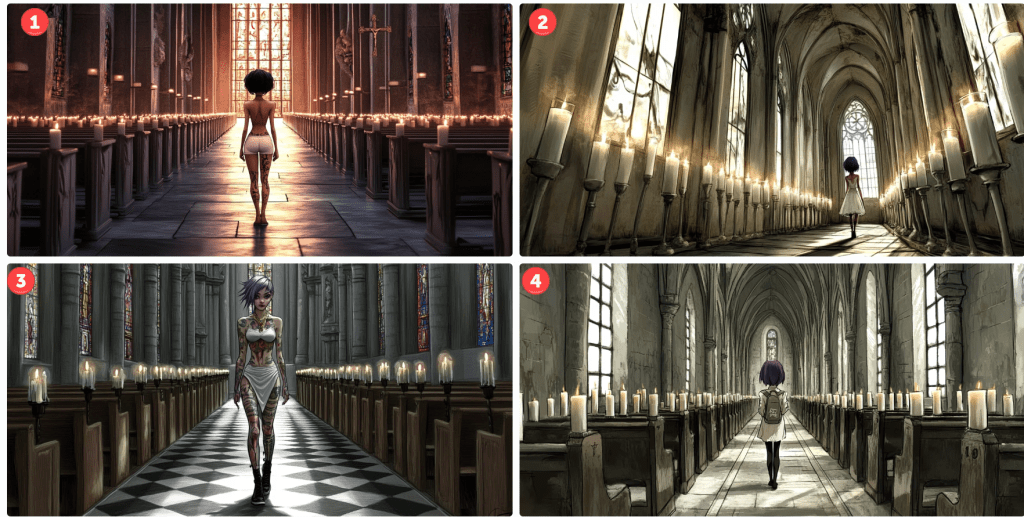
I’m not convinced that this is a Pixar render, but it is like a cartoon. Again, only one of the four models obeys the instruction to face the camera. They are still in churches with candles. They are tattooed and number three seems to be dressed in white wearing dark mascara. Her hair is still short, and no thigh garter. We’ll let it slide. Notice that I only prompted for a sensual girl wearing white. Evidently, this translates to underwear in some cases. Notice the different camera angles.
Just to demonstrate what happens when one varies an image. Here’s how number three above looks varied.
Basically, it made minor amends to the background, and the model is altered and wearing different outfits striking different poses. One of those renders will yield longer hair, I swear.
Let’s see what happens if I prompt the character to look similar to the animated feature Coraline.
cartoon girl, Coraline animation style, muted colours…
Number two looks plausible. She’s a bit sullen, but at least she faces the camera – sort of. Notice, especially in number one, how the candle placement shifted. I like number four, but it’s not stylistically what I was aiming for. These happy accidents provide inspiration for future projects. Note, too, how many of the requested aspects are still not captured in the image. With time, most of these are addressable – just not here and now. What about South Park? Those 2D cutout characters are iconic…
cartoon girl, South Park cutout 2D animation style, muted colours…
…but Midjourney doesn’t seem to know what to do with the request. Let’s try Henri Matisse. Perhaps his collage style might render well.
cartoon girl, Matisse cutout 2D animation style, muted colours…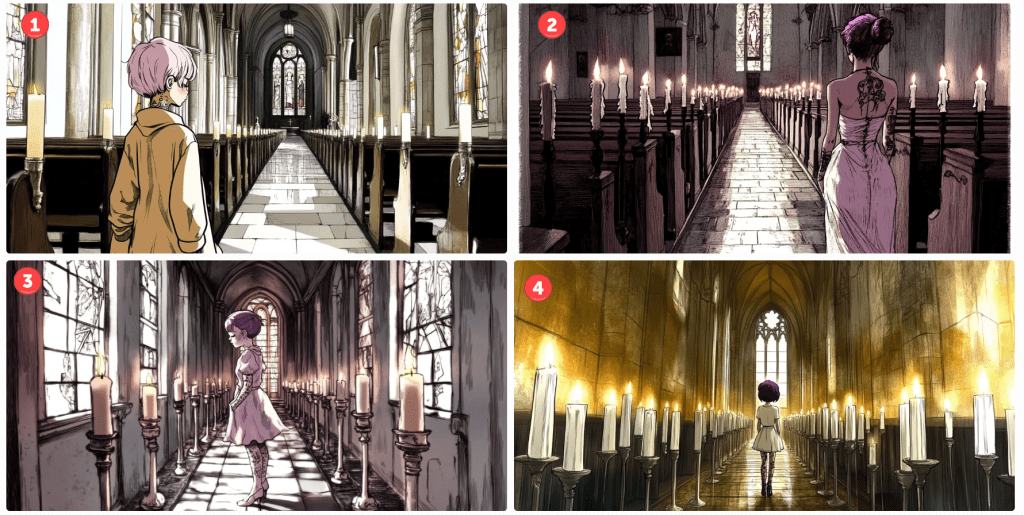
Not exactly, but some of these scenes are interesting – some of the poses and colours.
Let’s try one last theme – The Simpsons by Matt Groening. Pretty iconic, right?
Matt Groening's The Simpsons style character, walking up aisle in church interior, many white lit candles, toward camera…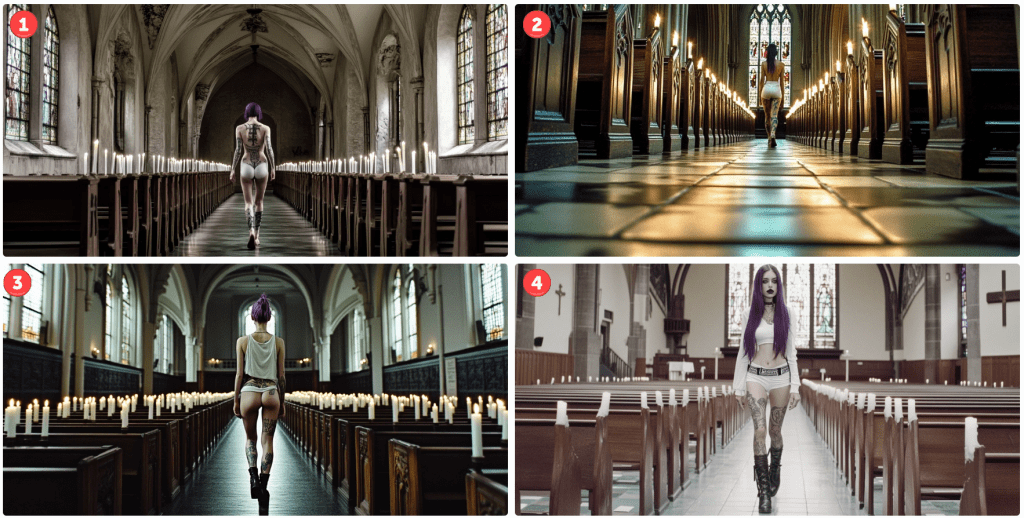
Oops! I think including Matt Groening’s name is throwing things off. Don’t ask, don’t tell. Let’s remove it and try again.
The Simpsons style character, walking up aisle in church interior, many white lit candles…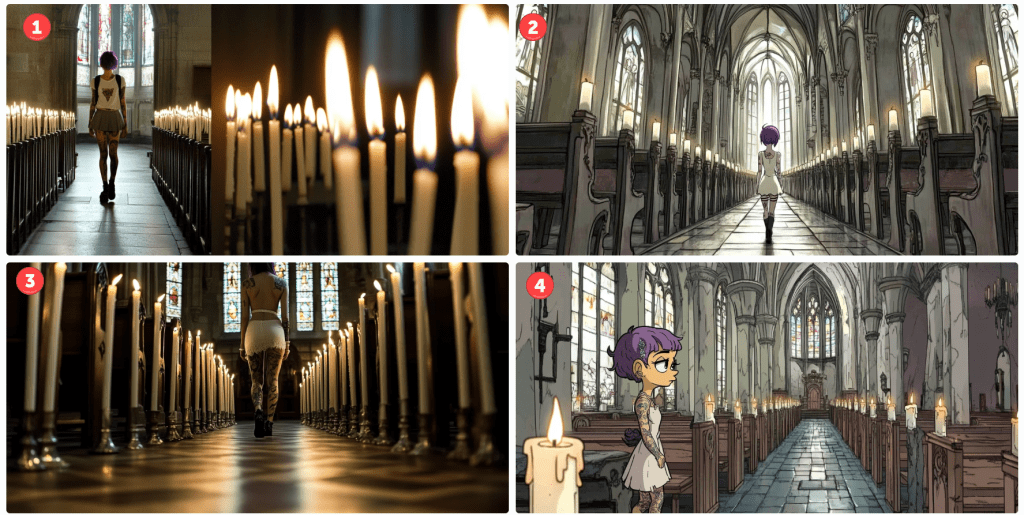
For this render, I also removed the camera and film reference. Number four subtly resembles a Simpsons character without going overboard. I kinda like it. Two of the others aren’t even cartoons. Oops. I see. I neglected the cartoon keyword. Let’s try again.
Matt Groening's The Simpsons style cartoon character, walking up aisle in church interior, many white lit candles…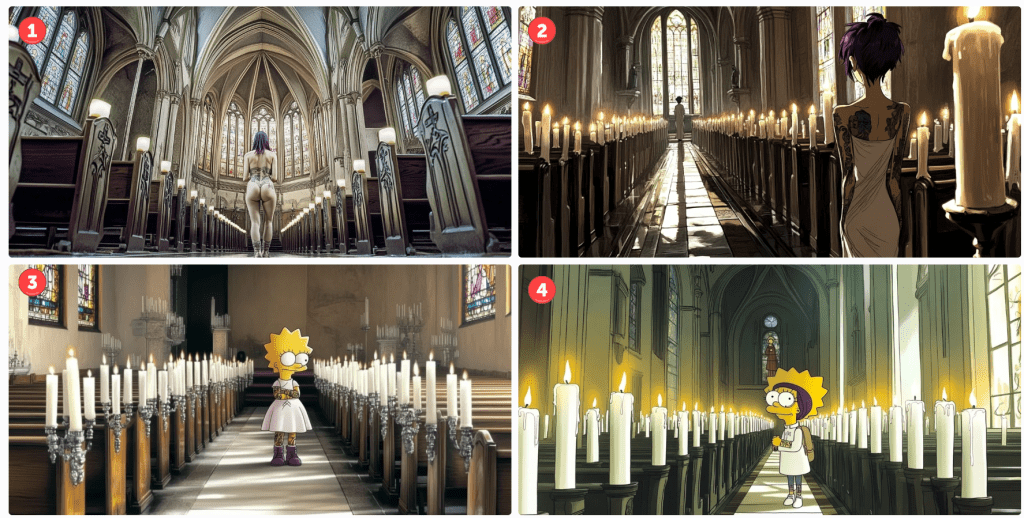
I’m only pretty sure the top two have nothing in common with the Simpsons. Again, number one isn’t even a cartoon. To be fair, I like image number two, It added a second character down the aisle for depth perspective. As for numbers three and four, we’ve clearly got Lisa as our character – sans a pupil. This would be an easy fix if I wanted to go in that direction. Number four looks like a blend of Lisa and another character I can’t quite put my finger on.
Anyway… The reason I made this post is to illustrate (no pun intended) the versatility and limitations of generative AI tools available today. They have their place, but if you are a control, freak with very specific designs in mind, you may want to take another avenue. There is a lot of trial and error. If you are like me and are satisfied by something directionally adequate. Have at it. There are many tips and tricks to take more control, but they all take more time – not merely to master, but to apply. As I mentioned in a previous post, it might take dozens of renders to get what you want, and each render costs tokens – tokens are purchased with real money. There are cheap and free versions, but they are slower or produce worse results. There are faster models, too, but I can’t justify the upcharge quite yet, so I take the middle path.
I hope you enjoyed our day in church together. What’s your favourite? Please like or comment. Cheers.
 Philosophics